
Changing Audio Outputs (3.2)Updated 3 months ago
To change the audio output in Muséik:
1. Click on SETTINGS
2. In the upper left panel click on the dropdown next to "Output." Select the audio device you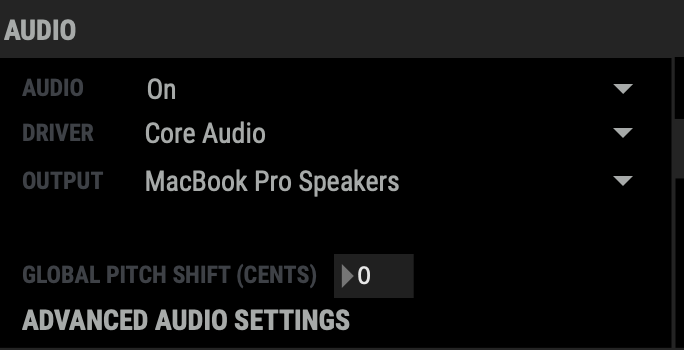 prefer.
3. Make sure the "Audio" dropdown is set to "On."
Remember that Muséik does not deliver audio through the video feed, it is treated as a separate output. Connection options are a USB audio driver (recommended) or the 3.5 mm headphone port.